
I’m learning new stuff every day when it comes to AI and image generation. Today I was working on upscaling using Flux.
I started with this image of a character from Crystal of Atlan. It’s just a cropped screenshot I took while playing:
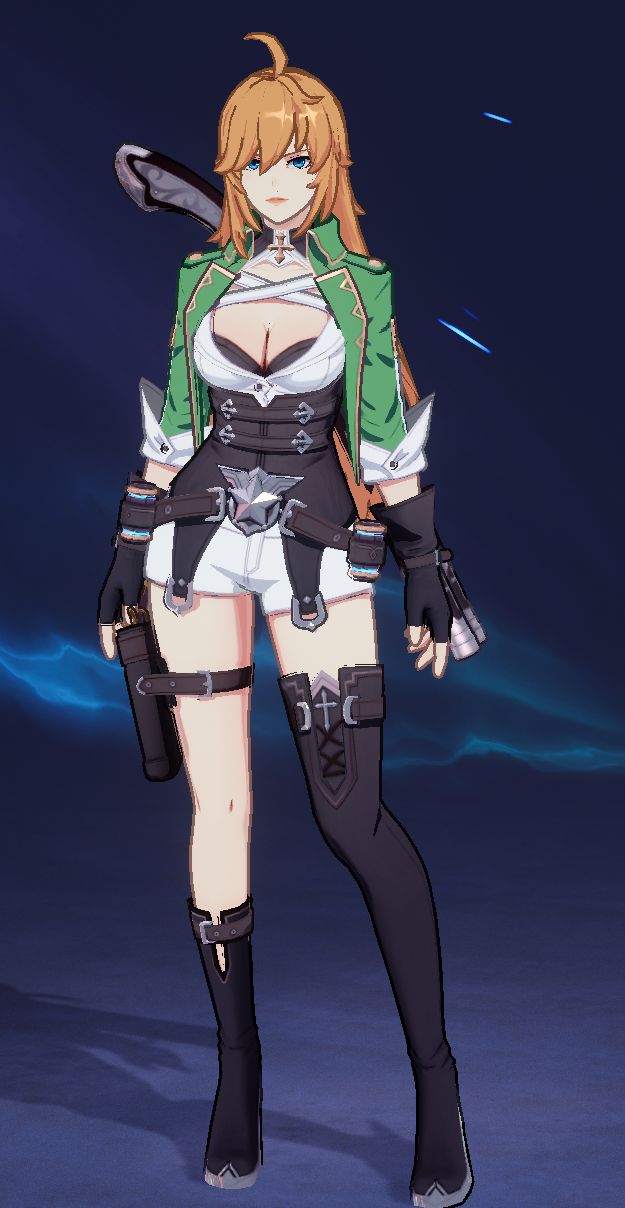
It’s pretty rough and I’m sure there are non-AI tools out there that you could use to sharpen things up and get a very accurate version without the pixelation. The problem with AI upscaling is that the AI has a ‘mind’ of its own and you probably won’t manage to get exactly the same image. I am using an Image 2 Image workflow where I start with the original image. Here’s what I got doing that.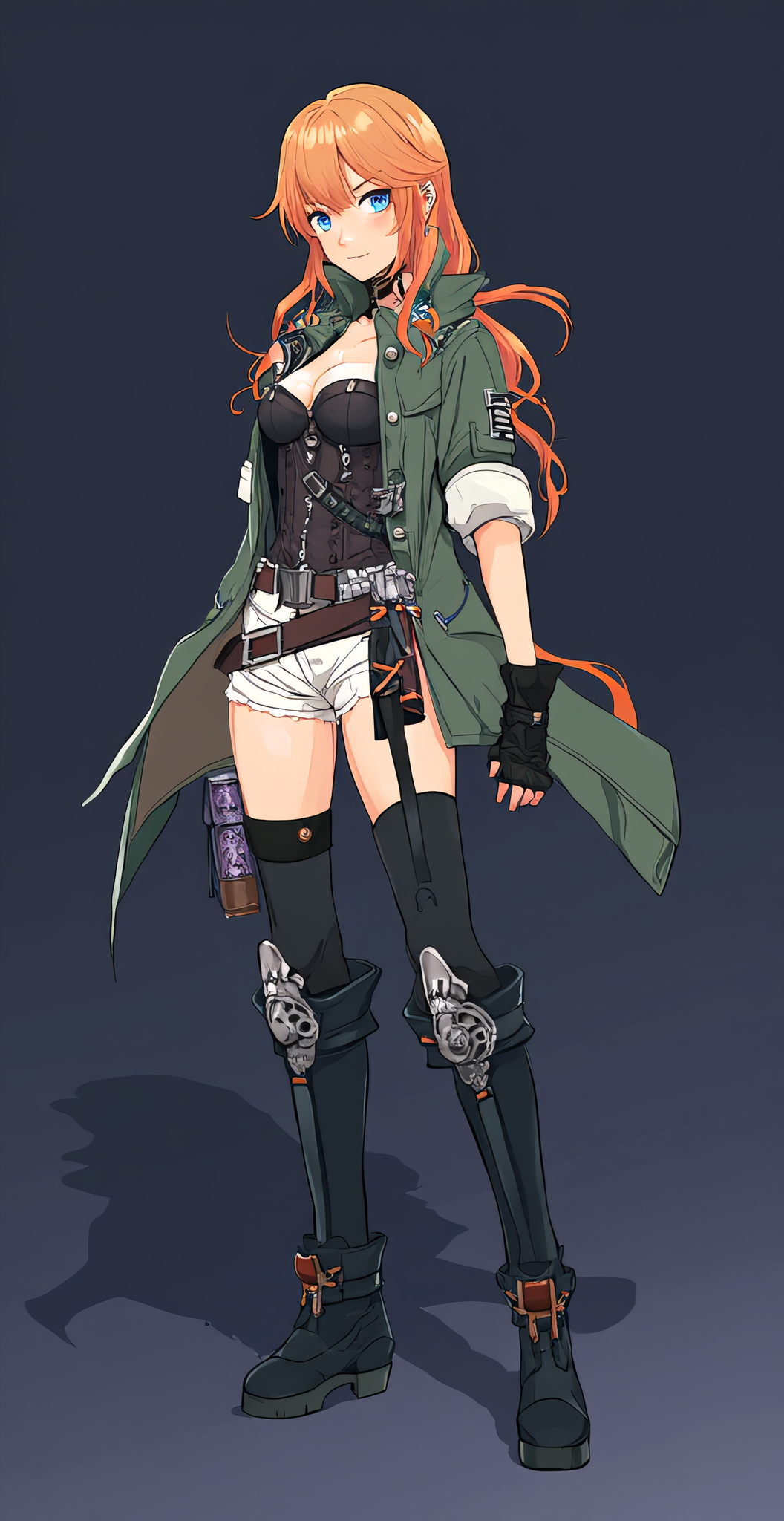
This was OK for a first attempt but there are some pretty significant changes, including the fact that we lose the weird anime game trope of 1 bare leg, 1 clothed leg.
So for the next attempt, I cheated. I uploaded the original image into Chat GPT and asked it for a Flux AI prompt that would generate the character. After a brief back and forth I ended up with this:
full body anime-style female character, standing in a heroic pose, mid-20s with long orange-blonde hair, blue eyes, wearing a green military-style jacket with rolled-up sleeves, black corset with silver details, white shorts, black thigh-high boots with asymmetrical design, black leather gloves, utility belts with pouches and a holster, futuristic fantasy adventurer aesthetic, detailed ornate belt buckle, confident expression, stylized fantasy background, sharp cel-shaded anime rendering, highly detailed character design. green jacket with gold trim, white shorts, black thigh-high boots with one leg fully covered and one leg bare, chest harness straps. character reference sheet, centered, full body
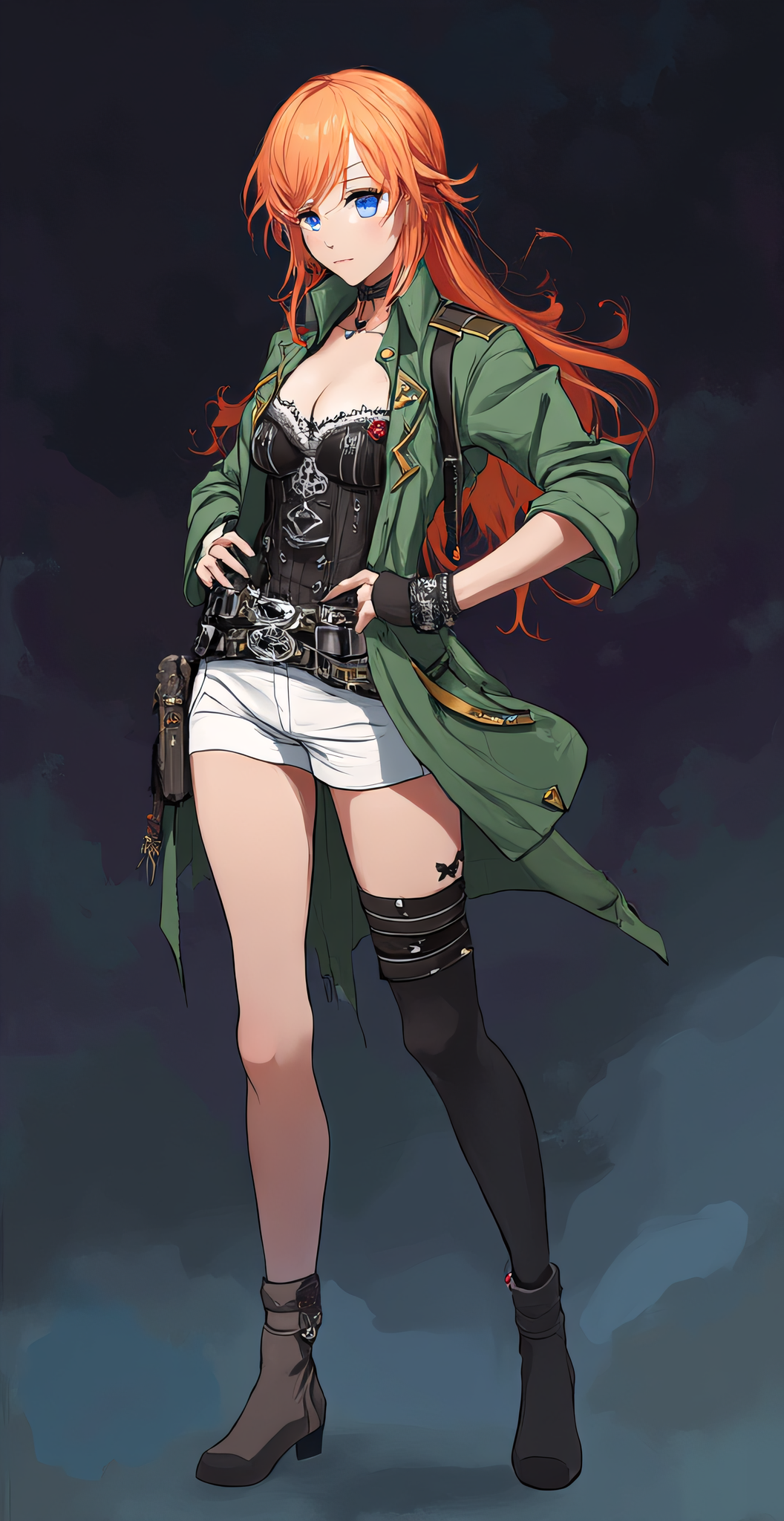
So now I have the legs right, but there are still a lot of differences. I tried to get it a little closer, not sure I really did. I made her boobs bigger so I guess that’s something. LOL. And I added a ‘digital painting’ to the prompt to give it a little something-something. Here’s my last attempt, with the prompt now being:
digital painting full body anime-style female character, large breasts with cleavage, standing in a heroic pose, mid-20s with long orange-blonde hair, blue eyes, wearing a green military-style jacket with rolled-up sleeves, black corset with silver details, white harness over the coret, white shorts, belt buckle with a silver star, black thigh-high boots with asymmetrical design, black leather gloves, utility belts with pouches and a holster, futuristic fantasy adventurer aesthetic, detailed ornate belt buckle, confident expression, stylized fantasy background, sharp cel-shaded anime rendering, highly detailed character design. green jacket with gold trim, white shorts, black thigh-high boots with one leg fully covered and one leg bare, chest harness straps. character reference sheet, centered, full body

After adding that last one to the post I noticed how bad the eyes were, so I threw a face detailer into the mix. I wasn’t sure WHERE to put it… pre or post upscale. And this is actually a 2-pass upscale so I could have even put it between the two. But I left it as the last step. Now her face looks better but I lost some of the asymmetry in the leggings, and now the hands are kind of screwy. Clearly I could spend a LOT of time tweaking and changing things, trying new combos to try to get her closer to the original, but for now I’m going to leave her at this point.

The image at the top of this post shows the workflow as it stands now. The thing that amazes me is that I actually understand most of it. I mean there are TONS of levers to pull and settings to tweak and I don’t claim to understand ALL of them, but I follow the general gist. I based the workflow off of one of the ones in this YouTube video; this person does great ComfyUI tutorials.
If you want to see my workflow for reals, snag the image at this link and drag it into Comfy:
https://dragonchasers.com/wp-content/uploads/2025/08/upscale2_with_face_00005_.png