Hulu gets a game hub

Most of us gamers hit YouTube when we’re scrounging for the latest trailers or what not, but now Hulu wants to get in on the action. They’ve just added a Videogames section to their service.

In addition to trailers, they have content from Canada’s The Electric Playground and G4’s ExtendedPlay (which is destined to end soon with G4 rebranding itself).

They promise release info, reviews and more. For now this content is limited to the PC client but in the coming months it’ll make it’s way to the various Hulu Plus apps for smartphones, tablets, smart TVs, gaming consoles and set-top streaming solutions.

We’ll see if Hulu can attract marketshare from YouTube or even outlets like Twitch.TV!

Is Molyneux’s Curiosity the next Cow Clicker?

Does Molyneux’s Curiosity remind anyone else of Ian Bogost’s Cow Clicker? I haven’t played either, mind you. I just can’t get past thinking Molyneux is somewhere laughing his head off at everyone playing his new “game” (which, as I understand it, consists of tapping on a single, shared giant cube to erode it away until someone, somewhere, reveals the “secret” inside, which I predict is going to be “Remember to drink your Ovaltine”).

If you’re not familiar with Cow Clicker, it’s kind of a parody of Facebook games. You have a cow and you can click on it once every 6 hours to earn clicks. You can read more about it at Bogost’s post but essentially he is (I think, don’t mean to put words in his mouth) illuminating how little game there is (or was, times are a’changing) in Facebook games.

Molyneux’s title is getting press everywhere because he’s Molyneux I guess. And because he talks a good game (pun most definitely intended). So we get quotes like:

“The concept is, ‘Is the power of Curiosity enough to drive the world?,’” Molyneux explained, describing Curiosity’s conceptual origins. “Because now, mobile connects people together in a way we’ve never been able to before to solve a mystery and the mystery is what is hidden inside this big, black cube. Initially it’s black, but as it gets chipped away, there are going to be many images that are going to be coming across the cube, but what you do essentially is just chip away. Is just the power of mystery enough to drive people to find out what’s in the center?”

(From With Curiosity, Peter Molyneux Explores Whether A Cube Can Capture The World’s Attention over at TechCrunch.)

What really fascinates me is that you can spend real money on tools that help you erode the cube faster. I’d love to know how many people are spending money on this stuff. There’s a Diamond Chisel that apparently sells for the equivalent of $80,000 and I’m sure it’s in there as a lark. An Iron Chisel costs the equivalent of $8 and lets you destroy nine chunks at a time for 5 minutes. Pricey stuff. (Data lifted from The hidden truth of enigmatic experimental game Curiosity at VentureBeat.)

You can get Curiosity on Android and iOS, I’m told. Consider it an opinionated decision that I’m not going to bother to provide links to it. I kind of hate that this game exists, for reasons that I haven’t quite figured out yet.

Windows 8: the (almost) perfect ad-ware platform

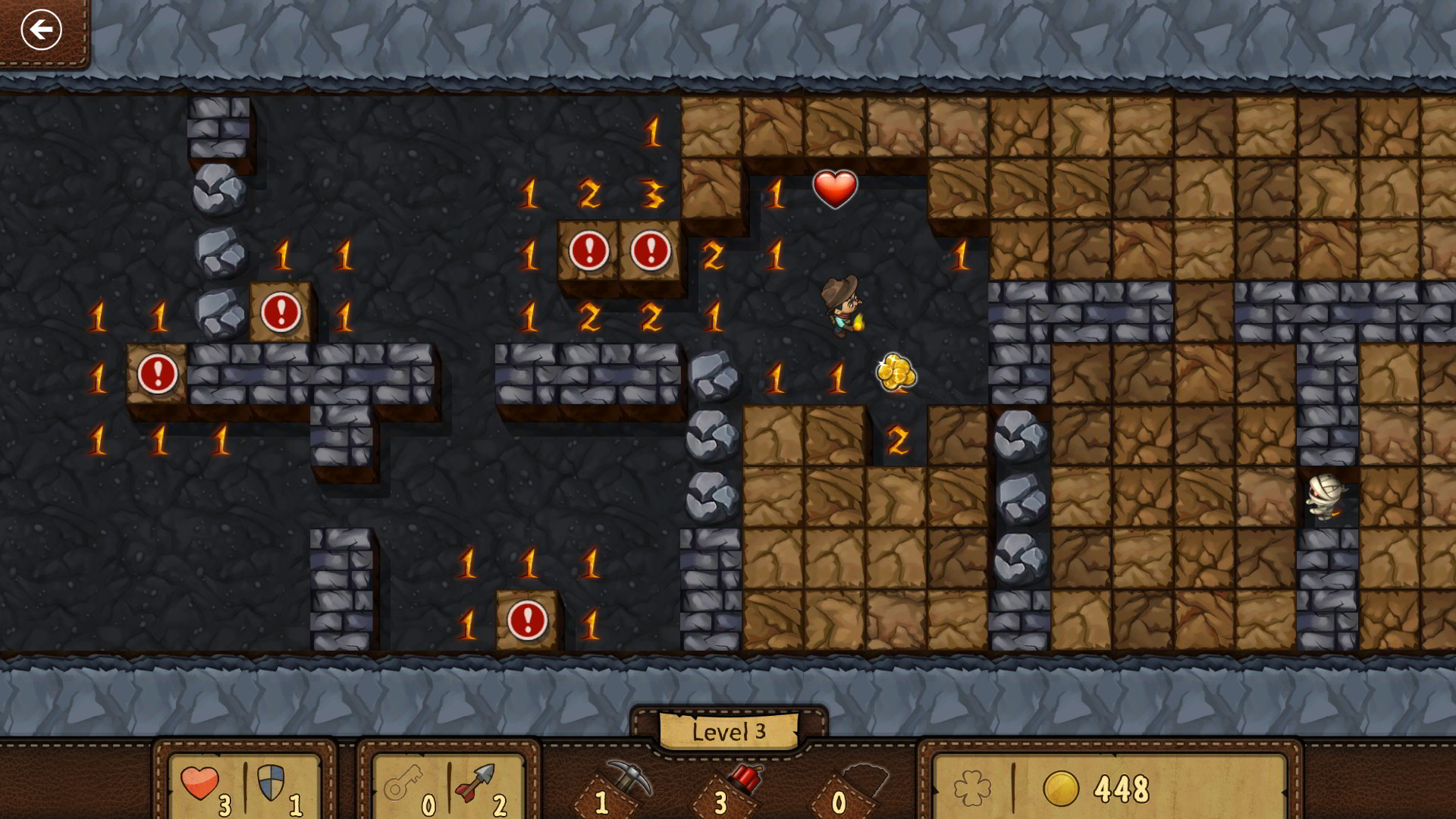
So as I mentioned in my last post, I’ve been playing the Windows 8 version of Minesweeper for the past couple of days. Minesweeper is “free.” What I mean is, you don’t have to pay in dollars, you have to pay in time. Every so often you’ll have to sit through a 20 second video ad.

Normally I have no problem with this kind of system; developers have to make money somehow, right? My problem with Minesweeper is the same problem I’ve had with Hulu in the past. There’s no variety in the ads. No one likes to sit through ads, but having to sit through the same exact ad over and over makes it worse, at least to me (I’ve seen two ads so far, a trailer for Life of Pi and some car commercial).

So normally what I’d do is switch my focus to something else while the ad plays. Windows 8 makes this challenging, though not impossible. Minesweeper is a “Windows Store App” which means it normally occupies your full screen. Aha! But I have two monitors! Nope, they’ve thought of that too. As soon as I move my focus to a desktop (ie, regular old Windows) application on the other monitor, playback of the video ad in Minesweeper freezes.

Drat!

There is a solution of sorts, though. You can run two Windows Store Apps at once on the same monitor by ‘snapping’ them to one side. Use Windows+. to snap Minesweeper to the right side, fire up something else on the left (I generally go with mail), and let the video play over there in the right half of the window while you catch up on your email in the left half.

I’ve yet to discover a way to run two Windows Store Apps concurrently, one on each monitor. I’m not sure it’s possible but if anyone knows a way, I’d appreciate hearing about it!

Will Windows 8 “cheapen” Xbox Live gamerscore?

Last night I somehow managed to spend a couple of hours playing Minesweeper under Windows 8! I know, right? But I succumbed to the gamification of gaming! The new Minesweeper has an ‘adventure mode’ that’s kind of fun, but it also has Daily Challenges. Beat the daily challenges to earn points towards monthly medals. OMG I need a Minesweeper medal, right? Of course I do. You can go back and do challenges you missed so I did them all from Nov 1 forward.

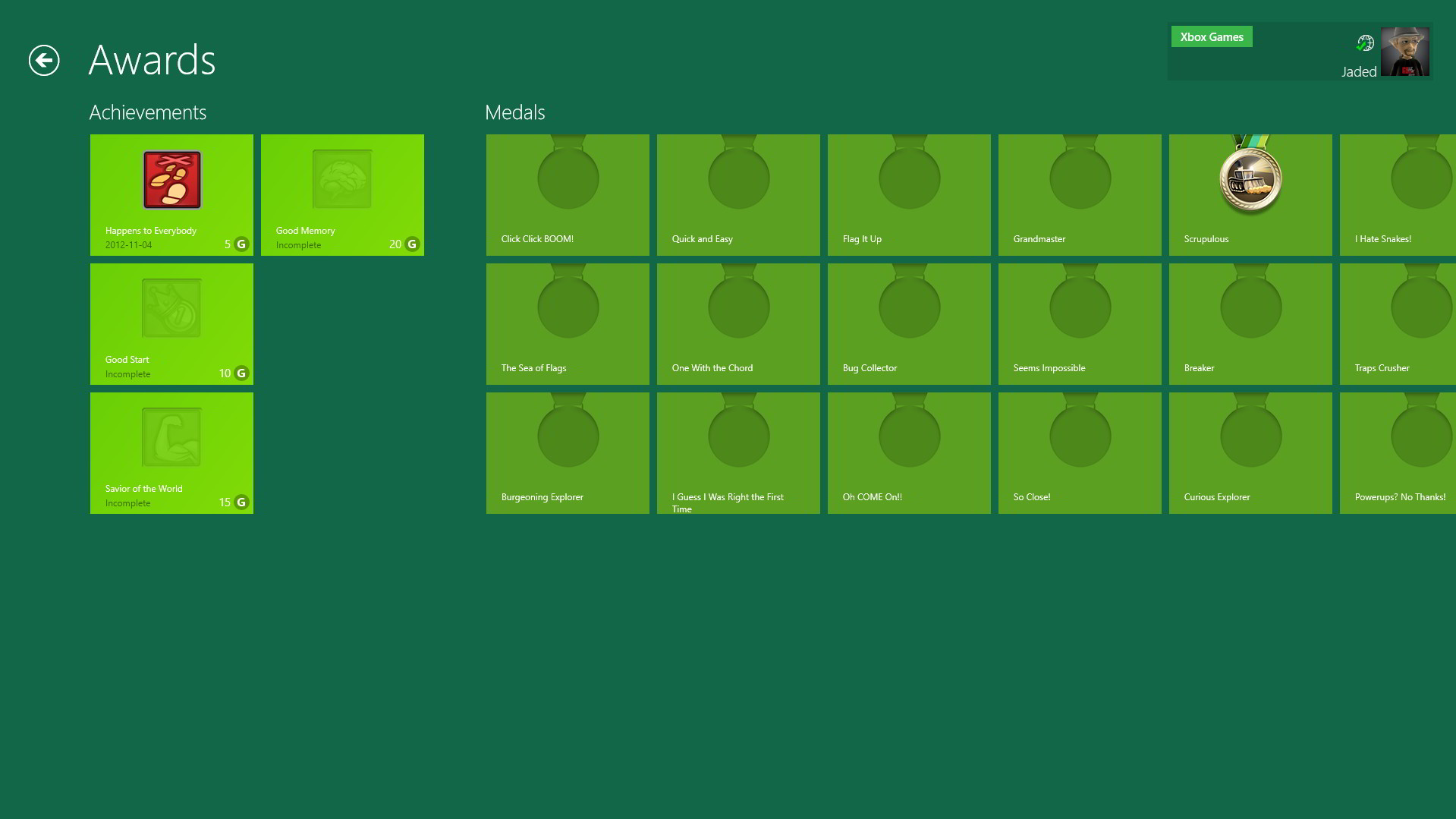
And then I noticed there were Xbox Live Achievements you could earn. I’m not usually a fan of all this stuff but I went in and got a quickie achievement for setting off a mine. Talk about padding my gamerscore!!

Now all told you can earn 50 points in Minesweeper but I wonder if this is the tip of the iceberg? Will the Windows 8 store wind up overflowing with casual games that come with Xbox Live Achievements?

And if so, is that going to annoy hardcore Xbox players? I mean when some testosterone poisoned young man in his early teens finds out his mom has a higher game score than he does, and all she plays is casual games while he’s out there on the front lines teabagging noobs in Call of Medal Warfare VIII, how’s that gonna make him feel?

Just to be clear, IF this even becomes a thing, I just find it all very amusing. I’m quite proud of my 5 point “Happens to Everybody” Minesweeper Achievement, though. Particularly since it’s an achievement for failing (setting off a mine by accident).

Switching to Windows 8? Read this before you fire up any game apps!

So I took the plunge and installed Windows 8 on my laptop today. Windows 8 allows you to log into your device using a Microsoft Account (formerly called a Windows Live Account). I had one I created back when outlook.com opened up, so I logged in. Everything was going great.

Then I downloaded a free game app, Jetpack Joyride. As soon as I started it up, Windows 8 announced that it had generated a temporary gamertag for my Microsoft Account.

Ha, I hadn’t even been thinking about Xbox Live. I do have an Xbox Live account of course, but it’s associated with a different Windows Live Account.

I did some research and I can “migrate” my gamertag from one email address to another, so I decided to migrate my ‘real’ Xbox Live Gamer Tag to the Microsoft Account I’m using on Windows 8. But I can’t, because now there’s already a gamertag associated with that account. So first I have to migrate the gamertag that Windows auto-generated for me off to another Microsoft account. This is an account I’m creating just for this purpose. Dumb right?

But wait! It gets worse. Since my temporary gamertag was just created today, I can’t migrate it for 30 days. You can only move these things once every 30 days.

So basically I have to wait 30 days before I’m willing to buy any gaming apps from the Windows 8 store, because if I do so before then they’ll be associated with this gamertag I’m trying my best to throw away.

I’m generally happy with Windows 8 so far, but MS really blew it with this one detail. I can’t believe they don’t prompt the user before generating a gamertag….

If you only have one Microsoft account this won’t impact you, but I’m sure I’m not the only one that had an old cruddy hotmail account for my Xbox Live account and would rather use a swanky new outlook.com account for my new system.

Time to bring back the shareware model?

So a lot of ink has been spilled recently (how long until kids have no idea what that means?) over declining revenues in the gaming industry. I’m not an insider so I don’t know if this is all alarmist press or a real problem, but I do see a lot of news items about layoffs and studio closings.

And I’m part of the problem. Y’know what I play every night before bed? Hill Cimb Racing. It’s an Android game, and it’s free. Their business model is getting you to buy coins. You may be familiar with Temple Run, which uses the same business model. I haven’t spent a dime on Hill Climb Racing. Why? Because the whole point of the game is earning coins to improve your car so you can do better and earn more coins to improve your car. Buying coins is deliberate reducing the ‘shelf life’ of the game for myself. Once I’ve maxed out my car I’ll lose interest.

But “free to play” seems to be where its at these days. The problem is that so few companies seem to get it right.

But free games aren’t a new thing. Back in days of yore we had shareware. You may have heard of some of the titles that started as shareware: Wolf 3D, Doom, Commander Keen… all shareware. You downloaded the game (or got it from a friend, hence the name…not everyone was online in those days) and played it for free. Generally these games were broken up into 3 episodes or segments and you’d get the first one free. If you wanted to play the rest of the game, you paid for it. By the time you finished the first part you knew if it was a game you were going to enjoy or not, and if you enjoyed it you’d be happy to pay for more.

I don’t see why more “free” game devs don’t follow this same practice. In Hill Climb Racing you spend coins both to improve your car and to unlock new locations to race in. I think the developer would’ve been better served to just sell the new locations for $1-$2 and kept the coins (remember, the point of the game) for improving your car.

Xbox Live has its mandatory Trial version of games and that can be essentially the same model as long as the trial is extensive enough, but on the PC and mobile marketplaces the system seems rare these days. Mobile devs will offer ‘free’ versions but they’re generally either full of ads or they constantly badger you to upgrade. With old-style shareware you didn’t feel badgered…during the first section of the game (which was generally several hours of quality gameplay) you weren’t constantly being prompted to purchase something or interrupted with ads; it was a pure gaming experience.

I wonder why it fell out of favor. It seemed like a win for everyone. You got to try and enjoy a game for free, the developers clearly did pretty well selling them (Id and Epic were shareware developers) and anyone who purchased the games knew they were buying something they were going to love.

Gamer ADD & DC Universe Online

I’ve come to accept and even embrace my gamer ADD. I used to feel guilty about jumping from title to title but y’know, games are for fun. I don’t join guilds so I’m not letting anyone down by skipping out to some other game, so if I’m happy, that’s kind of all that matters.

I’m also easily swayed. At my core, I’d rather love a game than hate a game and I’d rather love a game company than hate it, too. I don’t think I’m that unusual in these preferences, though I think the people who love to hate a game or a company are a lot louder and more vocal online, so it can seem like gamers all hate games and the people who make them.

So this was a tough weekend for me when it came to willpower. SOE was holding its Fan Faire and live streaming some video from it, and Trion did a video feed of the housing in their new expansion. Both events had me wanting to play Rift and SOE games. I always enjoy these videos more for what they tell me about the teams making the games than what they tell me about the games themselves.

To make a long story short, I pre-purchased the Rift expansion and the Planetside 2 starter pack over the weekend. But neither of those are launched yet and I was feeling the itch to try something new, so I finally fired up DC Universe Online, which is set to get a housing expansion pack sometime in the next few months.

Obviously DCUO isn’t a new game and it isn’t even new to me. I played the beta a bit and at some point in launch because when I fired the game up I was surprised to find a couple of characters. I rolled fresh though.

At the time I was downstairs on the couch (Angela and I were watching the livestream from Fan Faire on the living room TV) so DCUO’s controller friendliness was a real point in its favor. I first started it on Saturday and by the time I’d created a character I’d pretty much had enough. Something about the character creation process bugs me; I mean the actual UI and interface of it. It may be that there are just too many choices for the speed that the UI renders. Anyway, I found character creation to be a chore.

But I went back today and played for a few hours, getting my new telekinesis dude to level 6 or 7, and it was quite enjoyable. I still don’t think I’d pay $15/month to play it, but with it being “free” I might dabble in it for a while, and I’m considering buying some of the expansions (they’re $10 or the equivalent in Station Cash and I happen to have a bunch of Station Cash). It just really feels like a ‘lite’game in a lot of ways, and that’s not always a bad thing. Some of the voice acting is real hokey and the character models tend to be pretty low-res, I suppose to keep the speed of the game up. But it’s still a fun comic book superhero world and I just kind of enjoyed zooming around Metropolis and Gotham, beating up on bad guys and tossing them around like rag dolls.

There’s a Halloween event going on and I did that once. I had no clue what I was doing but we didn’t die and the NPC was defeated. You get candy corn for your trouble that you can then spend in a vending machine to get loot. I only got 2 candy corn though so I just saved it.

If you’ve never tried DCUO and have any interest in super heroes, it’s definitely worth the time to download and check out. It starts really slow; like I said, character creation is long and kind of tedious (or can be) and then there’s a pretty long tutorial section that somehow still leaves a lot of questions unanswered. But once you get past that and start flying around the city doing stuff it gets more interesting. As you get a few levels under your belt you find more options opening up and it isn’t quite as directed as the first few levels are.

Aside from the Halloween Event it’s been solo friendly so far, too, and the Event auto-grouped me so I didn’t have to talk to anyone; a big plus when you’re kicked back on the couch playing with a controller and the keyboard is on the other end of the coffee table. 🙂 Yeah, I’m that lazy…

XCOM: Enemy Unknown is couch friendly

I finally got around to booting up XCOM tonight. I decided to give it a try on the living room TV to see how it worked. Turns out it works great.

I bought it via Steam and used Steam’s new “Big Picture” mode to launch the game. Unfortunately Steam can’t solve the issue of Windows User Account Control security pop-ups, but once in the game the only thing I couldn’t figure out how to do with a controller was rename my troops.

The folks at Firaxis went above and beyond the call of duty here. The UI is easily readable from across the room, even to someone with eyes as bad as mine. When you choose Controller as your Input Method, everything changes to support that controller. On-screen prompts match the buttons on your controller and a lot of floaty UI stuff goes away.

Later in the evening I booted up the game a second time on my office PC, using mouse and keyboard and honestly I felt like I was fighting the controls at that point. Maybe it was just because my first hour with the game was done via controller, but for me at least the gamepad controls are superior to mouse and keyboard; I really didn’t expect that.

Unfortunately I couldn’t figure out how to put my save game in the cloud, so I do have to manually copy saves between machines if I want to continue the same game as I move between living room and office. XCOM is supposed to be Steamcloud enabled but… it doesn’t seem to be. Oh well.

Anyway if this is the future of Big Picture gaming I’m all in. It gives you the best of both worlds; the sharp graphics and speed of a fast PC and the comfort of gaming on your couch. Well done, Firaxis!

Color Bind First Look

This weekend I was fortunate enough to get a sneak peak at Color Bind, a new physics-based puzzle platformer from Finn Morgan of Puppy Punch Productions. (I desperately hope no actual puppies were punched during the making of this game.)

The basic idea of Color Bind will be familiar to fans of puzzle games. For each level you have to get from your starting point to an end point. Easy right? The twist here is that gravity is dependent on color. A blue rock might fall up while a green rock falls to the right. There’s a variety of not only gravity directions, but gravity strengths as well. A dark red rock might fall swiftly down while a light-red rock kind of floats down gently. The little cart that you drive can change color mid level if you pass through a color fountain; this is often a key part of solving a level. Levels often have switches that will change the gravity of one or more colors. Sometimes you can drive into a switch, other times you’ll have to manipulate the environment so a rock hits it.

Controls are simple: drive right or left (more technically, spin your wheels clockwise or counter-clockwise, considering there’ll be times when you’re driving on the ceiling), jump and brake. Again, more technically the jump button just enlarges your wheels explosively which makes your cart hop. If you time it right you can use the inertia of one hop to achieve a larger second hop. This becomes an important part of puzzle solving as you get deeper into the game.

Something that helps Color Bind stand out from other physics-based puzzle games is that eventually it starts to have a platforming element to it. So not only do you have to figure out how to get to the exit point, you might need to practice your driving/hopping skills to actually pull off the solution. One level had me perched on a ball, spinning my wheels to cause the ball to roll, while maintaining my balance on top of it. Tricky! Whether this is a good or a bad thing depends on personal preference.

I certainly haven’t finished Color Bind yet but after a couple of sessions I’ve gotten through the first 20 levels and scored the first achievement. Early levels are almost trivial but by 20 I’m having to drive through the intersections of two color fountains (drive through where blue and red cross and you turn purple, which has a diagonal gravity mid-way between that of blue and red, for instance) and pulling off tricky time-based platforming challenges. The game does a good job of forcing you to constantly learn new tricks and skills in order to advance.

Color Bind is harder to describe than it is to play, so here’s the developer giving a preview of the game:

In addition to the 50+ levels (that figure comes from marketing; you have to unlock levels as you go and I’ve only done the first 20) that come with the game, Color Bind includes a level editor. There are also leaderboards to entice you to re-try levels you’ve already solved in an attempt to finish them more quickly, as well as co-op missions that I haven’t tested yet.

Color Bind is the kind of puzzle game that’s hard to stop playing. Every time you solve a level you think “Well maybe just one more…” It can be frustrating as well, but in that “Gaa! Next time I’ll do it!!” kind of way. The designer claims the game is “Early-90’s hard.” It hasn’t hit that point yet but I’m not even half-way through. I do admit a few levels I felt like I solved as much through dumb luck as through skill; y’know, a lucky bounce off a rock that propelled my cart to the finish point.

Color Bind comes out on Steam on September 24th for Windows; a Mac version should follow soon after. If you’re a fan of physics-based puzzle games I highly recommend you give it a try.

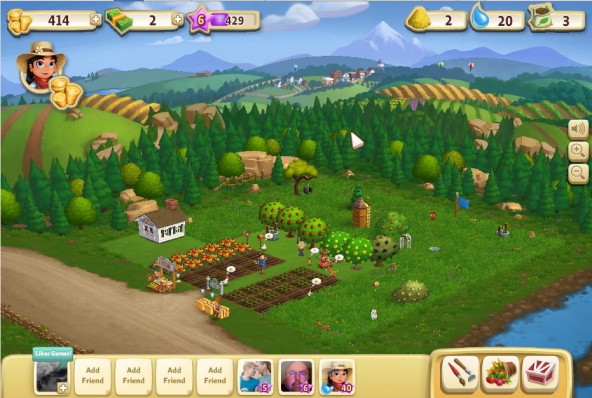
A quick visit to Farmville 2

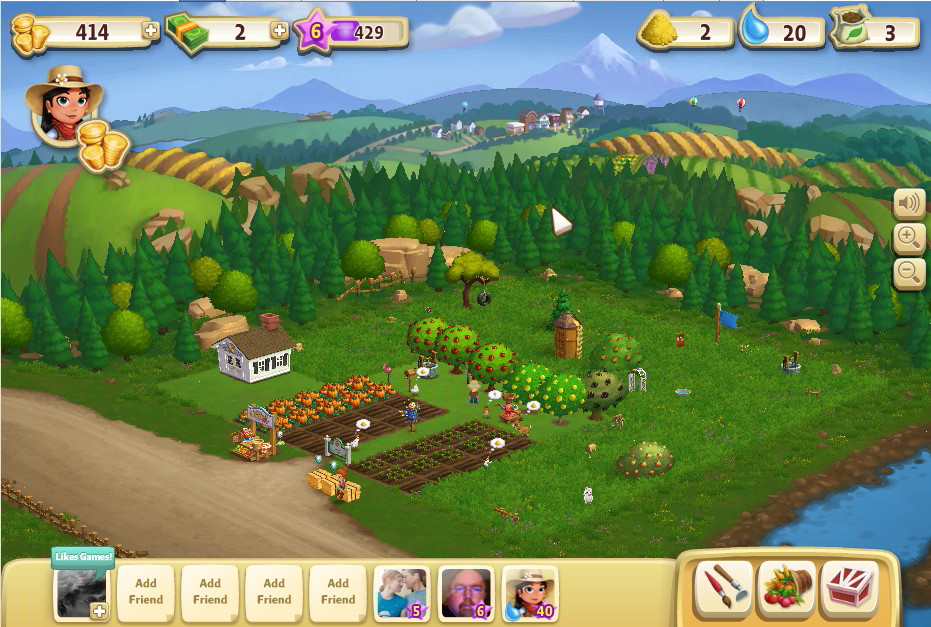
This week Zynga rolled out Farmville 2. I read a few interviews with people attached to the game saying there was more “game” in Farmville 2 than there is in other Ville games, so I decided to give it a try. I’m always willing to give a company another chance.

You see, I kind of like farming games and time management games. Things like Harvest Moon, Animal Crossing or GodFinger. I find it can be fun, for a while, to ‘check in’ on my micro-worlds to see what’s going on and tend to things (though eventually they almost all start feeling like a chore).

So is Farmville 2 more of a game than Farmville 1 is? I’d say yes; I felt like I was making (some) relevant decisions in this title since there are a few interconnected systems.

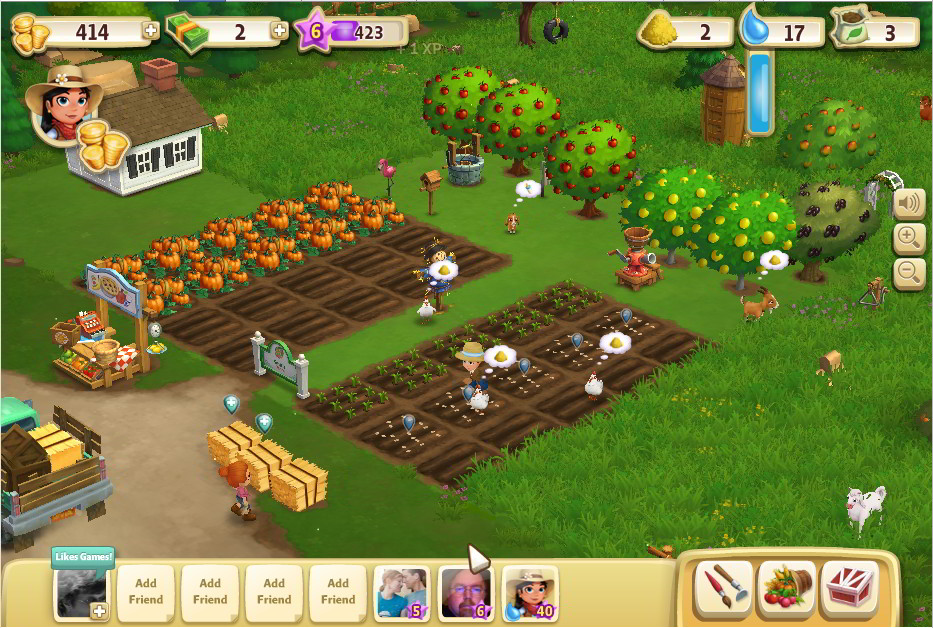
First is planting. You can plant crops or trees. Trees are more expensive but only have to be purchased once while you need to buy fresh seed for every round of crops you grow. Seeds cost varying amounts, the resulting produce sells for varying amounts and produces varying amounts of feed (see below). So choosing what to grow is a matter of knowing what you want to do with the resulting harvest and how long you want it to take.

In addition to plants, your farm has animals. Animals produce some kind of food-stuff. Chickens produce eggs, goats produce milk (that’s as far as I got). In order to get them to produce you have to feed them. You get feed by processing crops. It seems that any crop can be turned into feed, but for instance Wheat, which takes 4 hours to grow, produces 2 units of feed while a strawberry, which takes 24 hours to grow, produces 10. But strawberries also cost more to plant.

After a few levels you’ll unlock your farmhouse and with it, a kitchen. In the kitchen you can turn crops into more refined products which sell for more. So wheat can be turned into flour. Combine flour with an egg to make dough. Combine dough with apples to make an Apple Cobbler which sells for a goodly amount.

So should you use your wheat for feed? Sell it outright? Use it for flour? These aren’t earth-shaking decisions but they are decisions and they make Farmville 2 feel like a bit more than mindless mouse-clicking.

Farmville 2 is gated by water. Growing crops (including refreshing trees after they bear fruit) requires water. You can store up 20 water initially and more is added to your account over time. Once you get the kitchen unlocked, you get 15 kitchen actions which again, replenish over time. Crops mature according to real world time, as does the cycle of animals producing whatever they produce (for animals it’s time + feed, actually).

If you add friends to your farm neighborhood, once a day they’ll show up at your farm and you can use them to finish some task. This is a great way to get long-duration crops quickly since your friend insta-harvests whatever you point them at.

I was actually having fun playing Farmville 2 until I learned about milk bottles.

You see, when you get a new animal it’s a baby. Before it starts producing you need to grow it to maturity by feeding it milk bottles. Now I told you a goat gives milk, but that bottle of milk the goat gives isn’t considered a milk bottle.

It turns out milk bottles can be obtained in two ways: by spamming your Facebook friends for gifts, or by purchasing them with real money. If you want to play Farmville 2 without bugging friends, you’ll have to pay cash for milk bottles. In other words, pay to win.

I learned this only after I’d scraped and saved a few thousand gold to buy a baby goat. Suddenly I had this kid and no way to grow it up without opening my wallet (I have exactly 1 friend playing the game and I’ve already spammed her to the point where I sent her a message apologizing for it). And that’s when I quit playing Farmville 2.

It’s a shame because as I said, I was having fun and y’know, I’d considered spending real money to get some fancy decorations or something for my farm. I don’t mind spending money on a game I’m enjoying…in fact I think it feels good to support a game you enjoy. But buying milk bottles just flipped my ‘pay to win’ switch; it felt like cheating and it also felt like Zynga was holding a gun to my head. Pay up or don’t make any further progress.

Farmville 2 is a big improvement over Farmville. It plays faster (there’re a lot of convenience features added) and looks pretty good for a Facebook game. Every time you level up everything on a timer finishes at once, causing a huge explosion of awesome on your screen, which is really fun. I still would’ve gotten tired of it eventually I’m sure, but… well I’ll never know.

Thing is, if Zynga offered a stand-alone version of Farmville for $5 or $10 that didn’t require spamming friends or paying to win, I’d be all over it. It’s a fun game to putter around with.

Zynga’s been hemorrhaging customers from its Ville games. You’d think maybe with Farmville 2 they would’ve removed some of the really annoying aspects of their business model in order to try to draw in new blood, but I guess not.

Oh well, on to the next game!